Product
What the arrangement has built, so far
The e-commerce and CRM behind a volume photography business: bookings, shoot day, parent sales, fulfilment and the reporting round it. Every one of these started as a studio saying something was slow — read it as a snapshot rather than a specification, because it will have moved by next month.
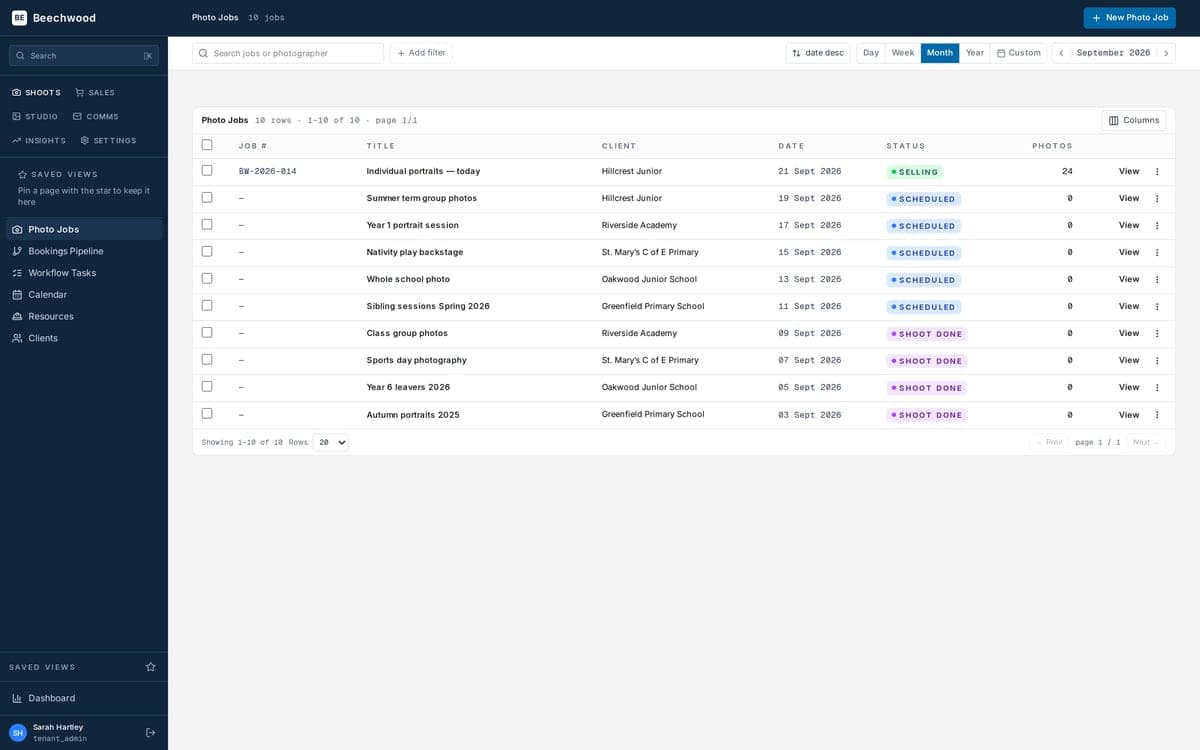
01 · Book & plan
From enquiry to a shoot in the diary
Every school and nursery you work with, their contacts, their history, and the season ahead in one pipeline.
- ›Bookings pipeline — enquiries move stage by stage until they're booked
- ›Shoot calendar — the whole season, with conflicts caught before they bite
- ›Photographers & kit — assign a shoot, offer uncovered days out to the team, track commission per photographer
- ›Client records — school, nursery, group head, and the people who actually sign things off
- ›Workflow templates — the right to-do list generated for every job automatically
02 · Shoot day
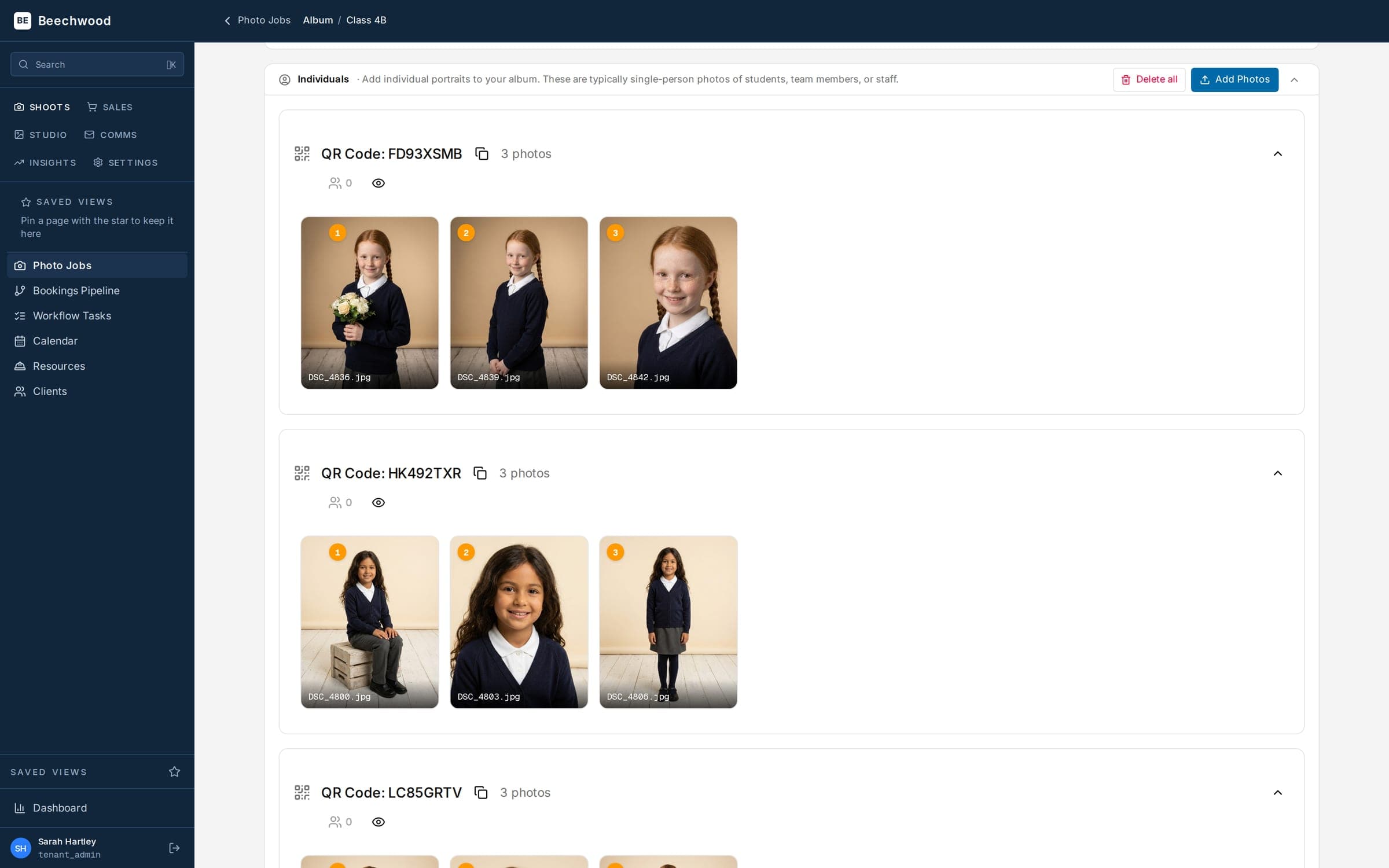
Upload once, and the repetitive parts take care of themselves
Photos go up in bulk and come back watermarked, print-prepped and matched to the right child without anyone sitting there doing it. You still choose which frames go in, and you still edit them your way first.
- ›Bulk upload — big sets don't freeze the browser
- ›Automatic watermarking — every image is watermarked before a parent can see it
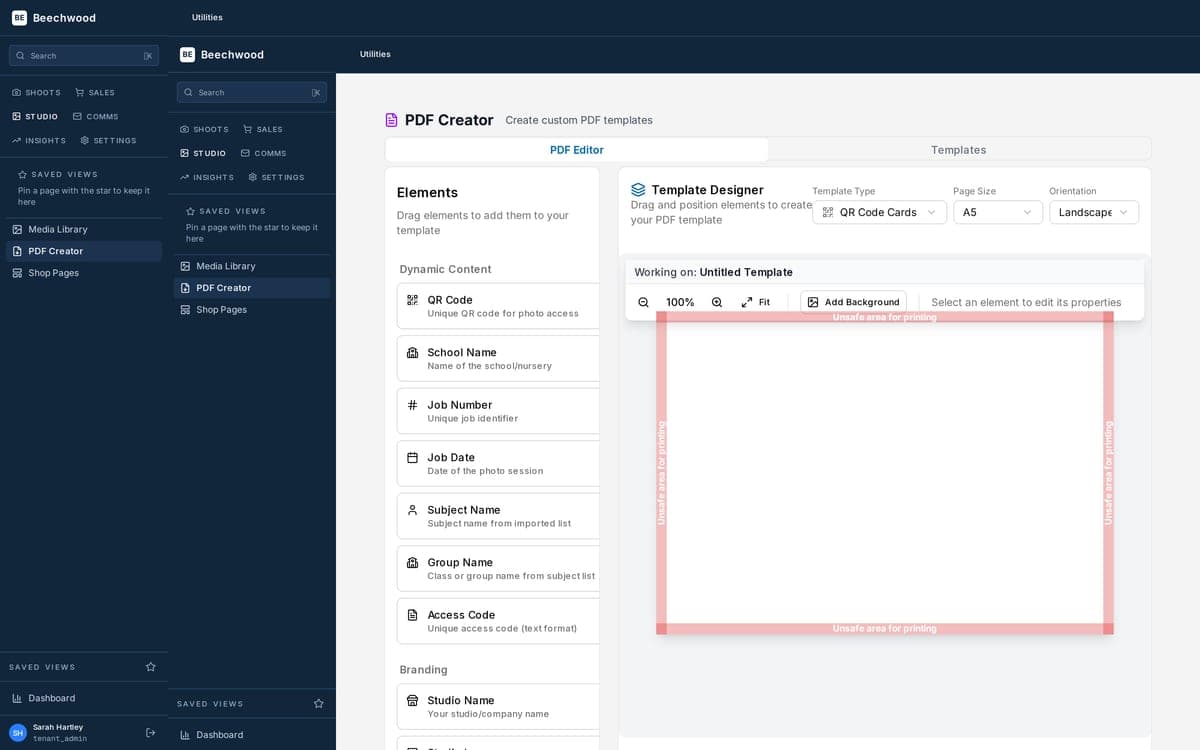
- ›QR access cards — one per child, generated as print-ready PDFs from your own template
- ›Proof cards — individual or whole-class, each with its own layout
- ›Groups & friends shots — tag exactly which children are in a small-group photo; it appears only in their galleries
03 · Sell to parents
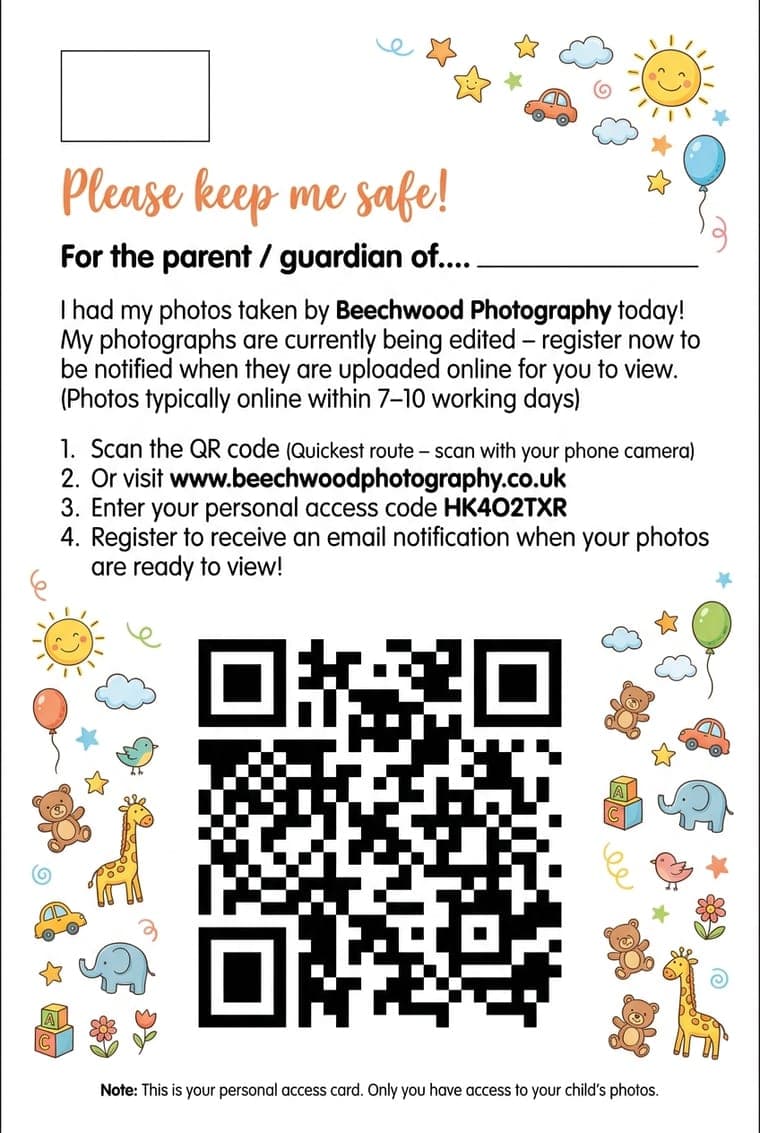
The card is the key. No password to type.
Parents arrive at your shop, not a school's. Scanning the card opens that child's gallery and nothing else — the code goes in for them, so there's no password to type. They can key it in by hand too, which is what the screen here is asking for.
- ›Your storefront, not the school's — your logo, your colours, your own domain; every shoot you run sells through it
- ›A gallery per child — the code on the card decides what a family sees; nobody browses anyone else's child
- ›An account behind it — order history, several children on one login, and a one-time email code to get back in if the card goes missing
- ›Packages, price lists & coupons — volume pricing and per-shoot discounts
- ›Email campaigns and sales texts — "photos are online", "gallery closing" — with a shared inbox that connects your Microsoft 365 or Gmail account
- ›Smart send times — marketing goes out in the windows parents engage, not at 2am
- ›Phone orders & abandoned carts — take an order over the phone; see the baskets that never got paid
04 · Fulfil & get paid
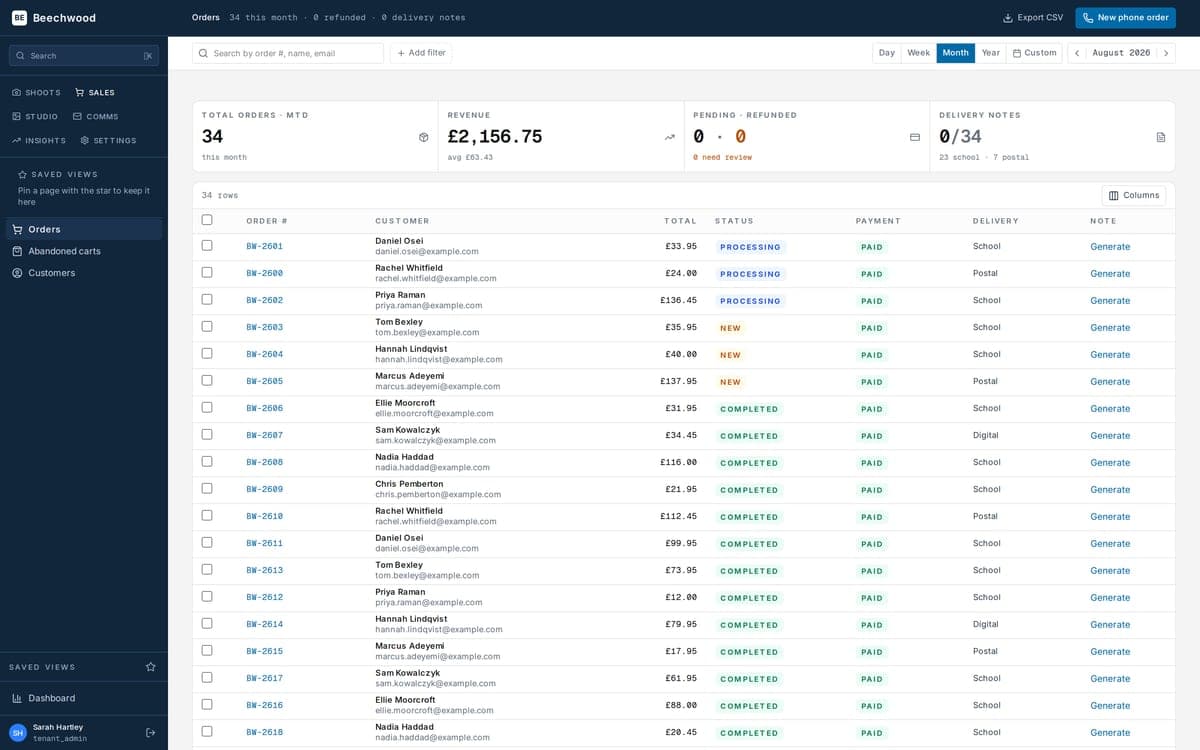
Orders route themselves. You get paid direct.
Every order goes where it should — partner lab, your own printer, or split across both — with the paperwork generated for you.
- ›Lab routing — including mixed orders that split between a lab and your own printing
- ›Delivery notes & invoices — generated automatically from your own template
- ›Batch release — hold a job's orders and send them together after the deadline
- ›Stripe, direct to you — parents pay into your own connected account
- ›Refunds — partial, per-item, per-quantity, with a plain-English reason when one fails
05 · Understand the business
Which schools pay, which products sell, when parents buy
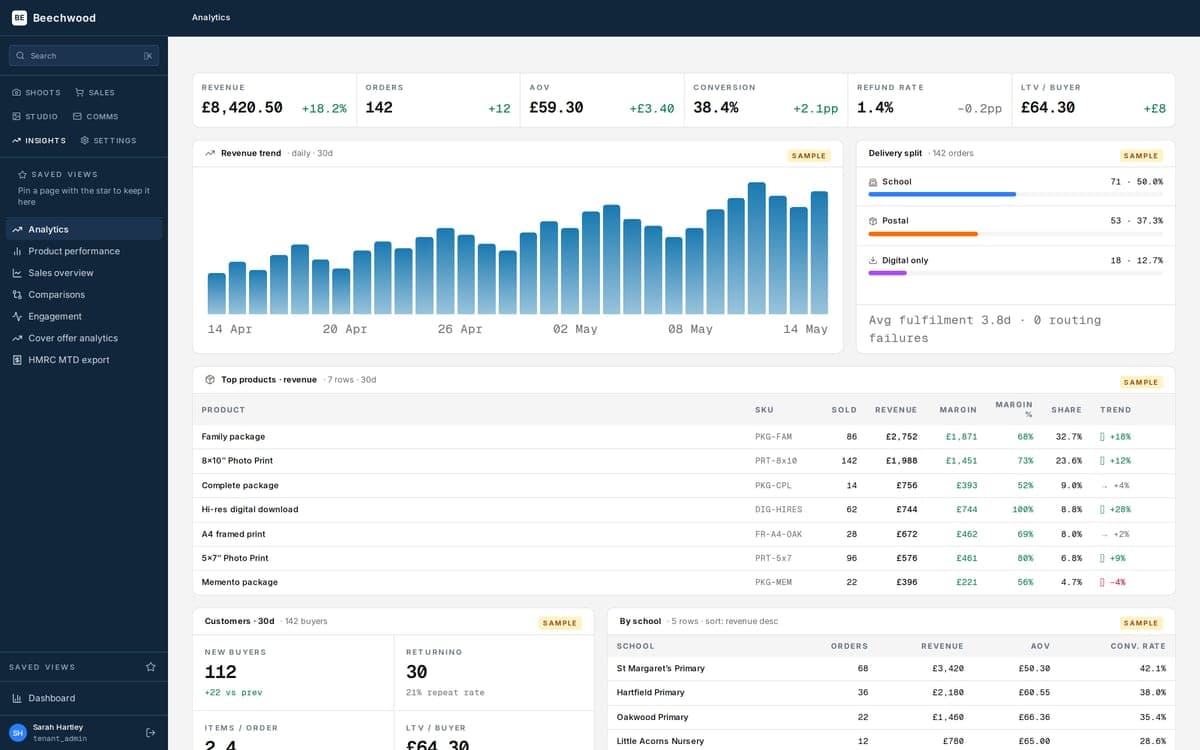
Reporting keyed on money actually taken, not orders placed.
- ›Sales & product performance — with period-on-period comparison
- ›Engagement heat map — when parents open and buy, against when you send
- ›Campaign email stats — exact, per campaign and per job stage
06 · Run the studio
The admin around the admin
Everything else working studios needs, without a second system.
- ›Team & roles — granular permissions, so a booking manager isn't an owner
- ›Document designer — your own QR card, proof card, delivery note and invoice layouts
- ›Shop page editor — about, FAQ, contact and legal pages, no developer needed
- ›Import & export — bring your clients, contacts and shoot history across rather than re-typing a decade of work — tell us what you are moving from and we will tell you what we can take, with a dry run that shows exactly what would change before anything is written
- ›GDPR tools — communications export and automatic deletion after a grace period
None of this is the pitch
It's evidence that the arrangement works. The pitch is that you get to add to the list, by working with our developers.
Book a demo